
Post to YouTube
ShowBits uploads approved clips to your YouTube channel at the time you plan, as a Short or as a video. A workspace admin connects the channel once; after that, everyone who plans posts can choose YouTube.
- Who sets it up
- Workspace admins
- Accounts
- One YouTube channel per workspace
- What ShowBits posts
- Clips as Shorts or videos
- What ShowBits may do
- Upload approved clips, delete them when you ask, check every 30 days that they are still online
Connect your channel
You need a Google account with a YouTube channel. Only admins of the workspace can connect YouTube, and a workspace connects one channel.
- Open Integrations.
- Under Publishing, find the YouTube card. It says what connecting allows: ShowBits uploads approved clips at their scheduled time, deletes them when you ask and checks every 30 days that they are still online.
- Click Connect.
- Sign in with Google and choose the Google account that has the channel.
- Allow the access Google asks for. ShowBits needs it to post; without it, the connection fails.
- Back in ShowBits, the card shows Connected as and the name of your channel.
If the Google account has no YouTube channel, ShowBits tells you. Create a channel on YouTube, or connect an account that has one.
Visibility and statements in the brand kit
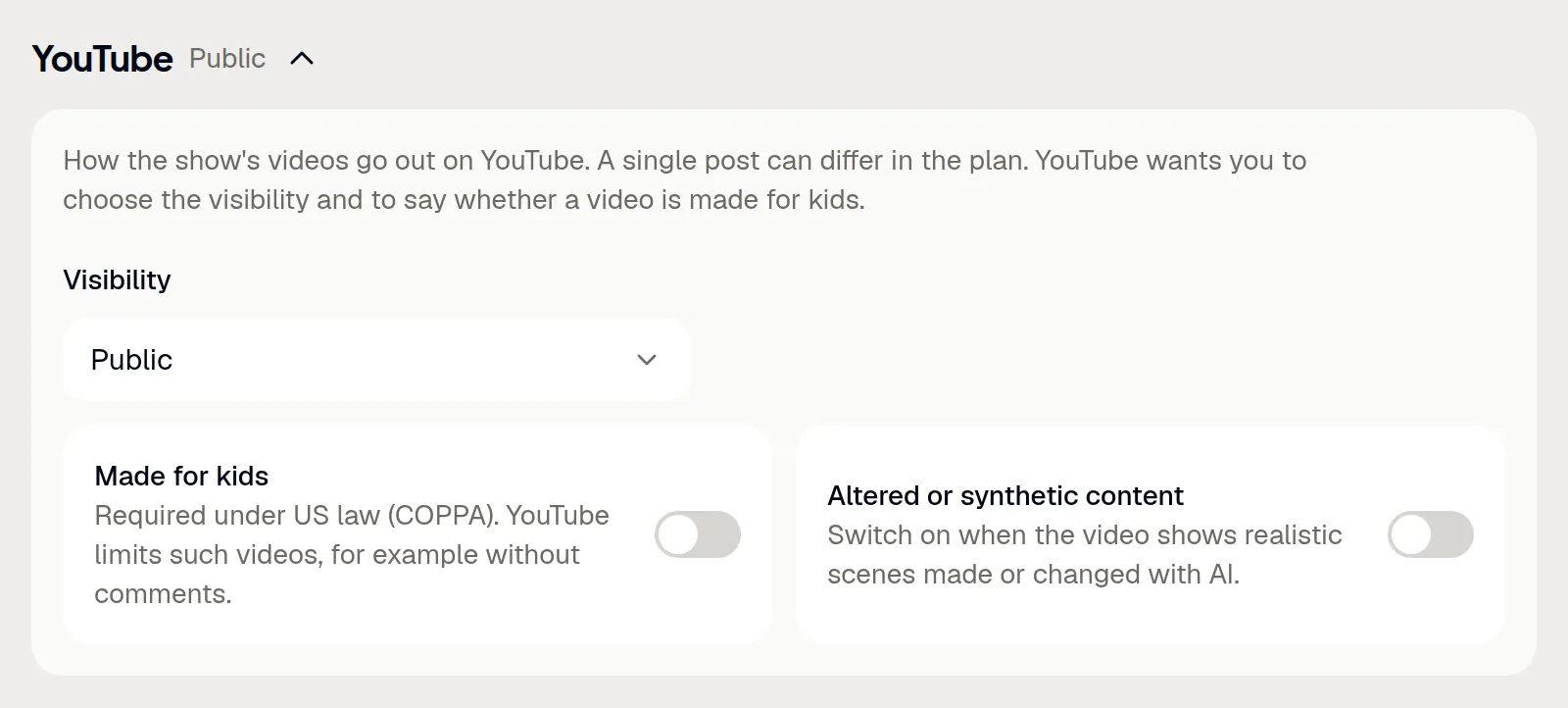
YouTube wants you to choose the visibility of each video and to say whether it is made for kids. ShowBits takes both, and the statement on altered content, from the brand kit of the show. Admins set them once for all YouTube posts of the show.
- Open Brand kits and choose the brand kit of the show.
- Expand YouTube.
- Choose the Visibility: Public, Unlisted or Private.
- Switch on Made for kids if the videos are made for children. YouTube limits such videos, for example without comments.
- Switch on Altered or synthetic content if the videos show realistic scenes made or changed with AI.
Changes are saved as you make them. A single post can differ from the brand kit (see the next section).
Plan and post
Plan a YouTube post like any other post (see Scheduling and publishing). At the scheduled time, ShowBits uploads the clip to the connected channel. Vertical and square clips up to three minutes appear as Shorts; clips in 16:9 and longer clips appear as videos. Quote cards don't go to YouTube.
- In the clip, switch on YouTube under Channels and open its text.
- Write the title in the first line, at most 100 characters. The lines below become the description. YouTube doesn't accept
<or>in either. - Once the clip is approved, choose the date and time under Plan publishing and click Schedule.
- To give one post its own settings, switch on Customise for this post under the planned YouTube post and change them there. Otherwise the post shows As in the brand kit.
- After the upload, View on YouTube opens the video.
ShowBits sends title and description as you wrote them and adds nothing. Without a YouTube text, only the clip's title goes out. To upload an approved clip at once, use Post now under Approvals → Approved.
Delete a video through ShowBits
ShowBits deletes videos it uploaded itself. Admins and duty editors can do this, for at most 5 posts an hour and 20 a day per workspace.
- Open Approvals → Approved, or open the clip and go to Planned posts.
- At the published YouTube post, click the bin icon (in the clip: Remove).
- Click Delete on YouTube. ShowBits deletes the video and takes the post off the plan.
Deleting cannot be undone. A clip without posts can be planned again.
Reconnect or disconnect
Reconnect signs in with Google again, for example to connect another channel. Disconnect ends ShowBits' access at Google and deletes the connection. Videos already uploaded stay on YouTube.
- Open Integrations.
- On the YouTube card, click Reconnect or Disconnect.
Disconnecting ends the access of the whole Google account. If the same account is connected for Google Drive, connect Drive again afterwards (see Google Drive). You can also revoke ShowBits' access at any time in your Google Account.
Questions
When does a clip go out as a Short?
When it is vertical or square (9:16, 4:5 or 1:1) and at most three minutes long. Clips in 16:9 and longer clips go out as videos.
Can quote cards go to YouTube?
No. Quote cards go to Instagram, Facebook, LinkedIn and X.
Why do I have to connect Google Drive again?
Disconnecting YouTube ends the access of the whole Google account at Google. If Google Drive was connected with the same account, connect it again under Integrations.
What does ShowBits do with my channel?
It uploads approved clips at their scheduled time, reads their processing status and the channel's name, deletes a video when an admin or duty editor asks for it, and checks every 30 days that its uploads are still online. If a video is no longer on YouTube, its post leaves the plan. ShowBits doesn't read, change or delete other videos, playlists, comments or analytics.
A YouTube post shows **Not sent**. What now?
The reason is next to it. If the connection no longer works, an admin connects YouTube again, then you click Send again. If the channel reached its daily upload limit at YouTube, send the post again the next day. YouTube rejects videos with a copyright or trademark notice; check the channel in that case.