
Post to Instagram
ShowBits posts approved clips as Reels and quote cards as images to your Instagram account, at the time you plan. A workspace admin connects the account once and can allow ShowBits to delete its posts through Facebook.
- Who sets it up
- Workspace admins
- Accounts
- One Instagram account per workspace
- Account type
- Professional account (business or creator)
- What ShowBits posts
- Clips as Reels, quote cards as images in 4:5
Connect your Instagram account
ShowBits posts to Instagram professional accounts, that is business and creator accounts. Only admins of the workspace can connect Instagram.
- Open Integrations.
- Under Publishing, click Connect on the Instagram card.
- Sign in to Instagram with the account ShowBits should post to.
- Allow the permissions Instagram shows for ShowBits. Keep the permission to publish content switched on; without it, ShowBits cannot post.
- Back in ShowBits, the card shows Connected as and the account's @-name.
Allow ShowBits to delete posts
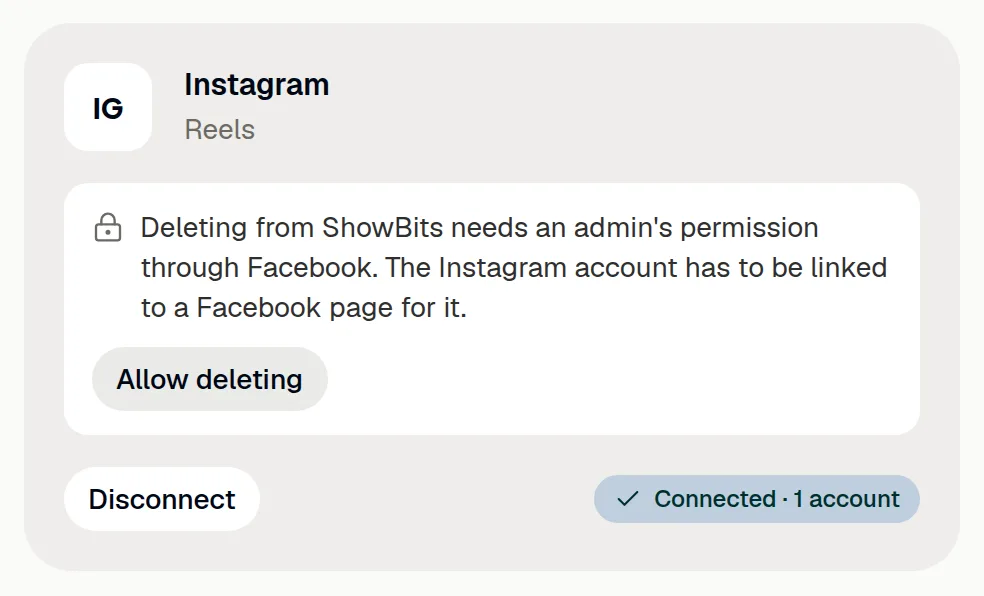
Instagram's own sign-in gives apps no way to delete posts. An admin therefore allows it through Facebook. For this, the Instagram account has to be linked to a Facebook page. The permission lasts about 60 days.
- On the Instagram card, click Allow deleting.
- Sign in to Facebook with the Facebook account that manages the page linked to the Instagram account.
- In Facebook's dialog, select that page and the Instagram account, and allow access.
- Back in ShowBits, the card says until when ShowBits may delete the posts it published on the account.
- Before that date, click Renew and sign in to Facebook again. The permission then lasts about 60 days from then.
Withdraw permission takes the permission back at any time. Disconnecting Instagram or connecting another account ends it, too.
Plan and post
Plan Instagram posts like any other post (see Scheduling and publishing). At the scheduled time, ShowBits posts by itself with the text and hashtags of the Instagram channel; nothing needs preparing. Clips go out as Reels that also appear in the feed, quote cards as images in 4:5.
- In the clip or quote card, switch on Instagram under Channels and write the Instagram text.
- Once it is approved, choose the date and time under Plan publishing and click Schedule.
- At that time the post goes out. The Calendar shows Goes out automatically, afterwards Posted.
To post an approved clip at once, use Post now under Approvals → Approved.
Delete a post through ShowBits
Once deleting is allowed, ShowBits deletes posts it published on the connected account. Admins and duty editors can do this, for at most 5 posts an hour and 20 a day per workspace.
- Open Approvals → Approved, or open the clip and go to Planned posts.
- At the published Instagram post, click the bin icon (in the clip: Remove).
- Click Delete on Instagram. ShowBits deletes the post and takes it off the plan.
Without the permission, delete the post on Instagram yourself, then confirm in ShowBits with Deleted, take off the plan.
Reconnect or disconnect
Reconnect signs in to Instagram again, for example to connect another account. Disconnect deletes ShowBits' access to the account and any permission to delete. Posts already published stay on Instagram.
You can also remove ShowBits in the Instagram settings under “Apps and websites”.
Questions
Can ShowBits post to a personal Instagram account?
No. ShowBits posts to professional accounts, that is business and creator accounts. In Instagram you can switch a personal account to a professional account.
Why does deleting go through Facebook?
Apps can't delete posts through Instagram's own sign-in. Through Facebook they can, as long as the Instagram account is linked to a Facebook page.
ShowBits says the Instagram account cannot be reached through this Facebook login.
Sign in with the Facebook account that manages the page linked to the Instagram account, and select the Instagram account in Facebook's dialog.
The permission to delete has expired. What now?
An admin clicks Allow deleting on the Instagram card again and signs in to Facebook. The permission then lasts about 60 days.