
REST API and API tokens
With an API token, your own systems, such as an MAM, a CMS or your scripts, work with a workspace through the REST API. The REST API comes with the Enterprise and OnPremise plans. The API documentation describes every route.
- Plans
- Enterprise and OnPremise
- Who creates tokens
- Every member, for themselves; admins see and revoke all tokens of the workspace
- What a token can do
- What its permissions allow, never more than its person's role, in one workspace
What the API can do
Through the API, your systems read episodes, transcripts and clips, upload episodes in parts or import them from connected storage, edit clips, send them for approval, approve them or send them back, plan and post released clips, and start AI tasks. They can also manage brand kits, the team, editorial rules and webhooks, read the audit log and usage, fetch released clips with their files for a CMS, and deliver clips to your MAM or DAM.
The API follows the same rules as the app: roles, approval, embargo and quota. AI tasks and uploads count against your organisation's quota.
Create an API token
Every member of the workspace can create tokens for themselves.
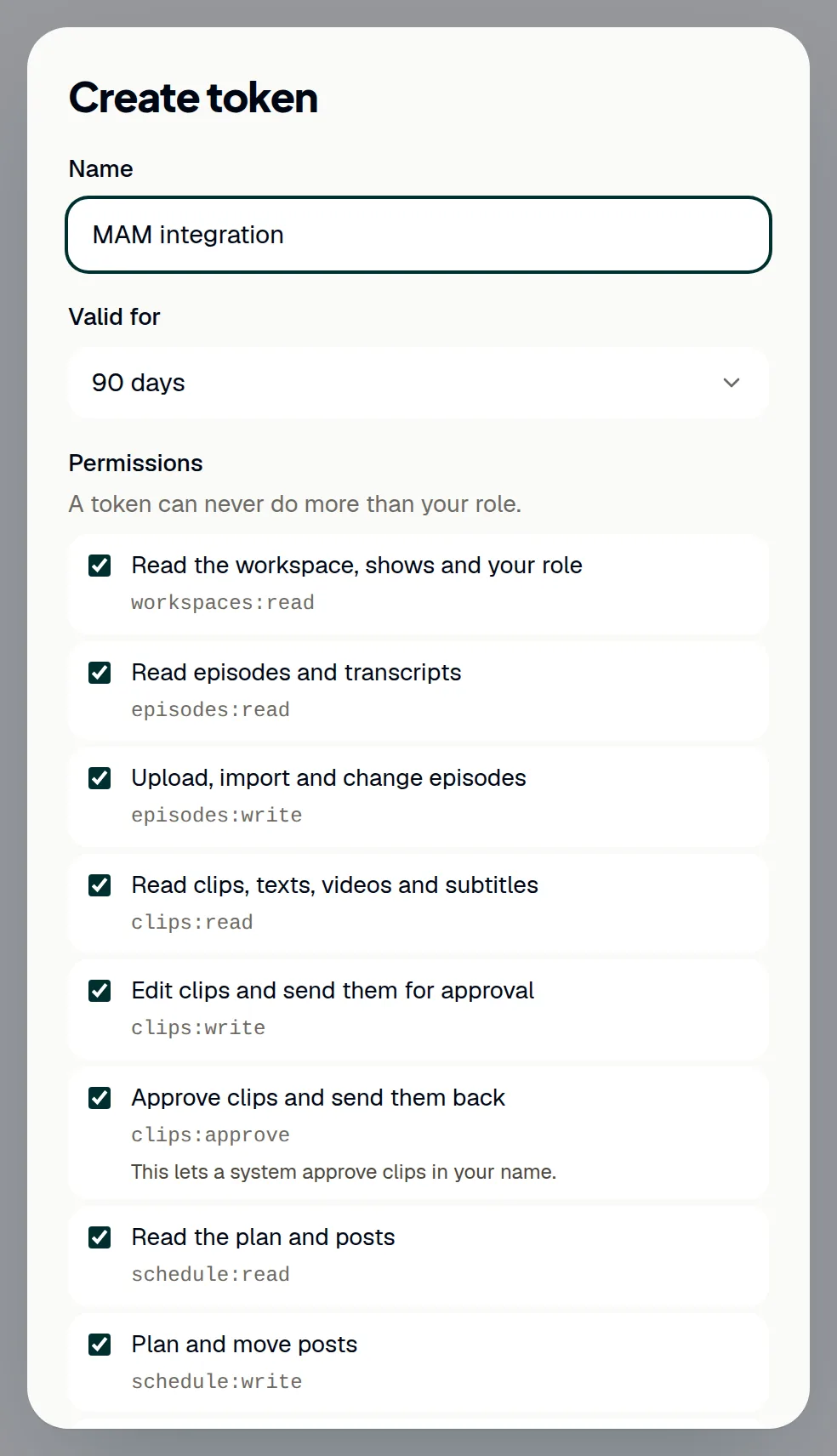
- Open Settings → API.
- Click Create token.
- Under Name, enter what the token is for, for example the system that uses it.
- Under Valid for, choose 30, 90, 180 or 365 days.
- Under Permissions, untick everything the system does not need. All permissions are ticked at first.
- Click Create.
- Click Copy and store the token where your system keeps its secrets. ShowBits shows it only this once and keeps only a fingerprint of it.
- Click Done.
The token acts as you, with your role, and only in this workspace; it can never do more than your role. You can have up to 20 valid tokens per workspace.
See and revoke tokens
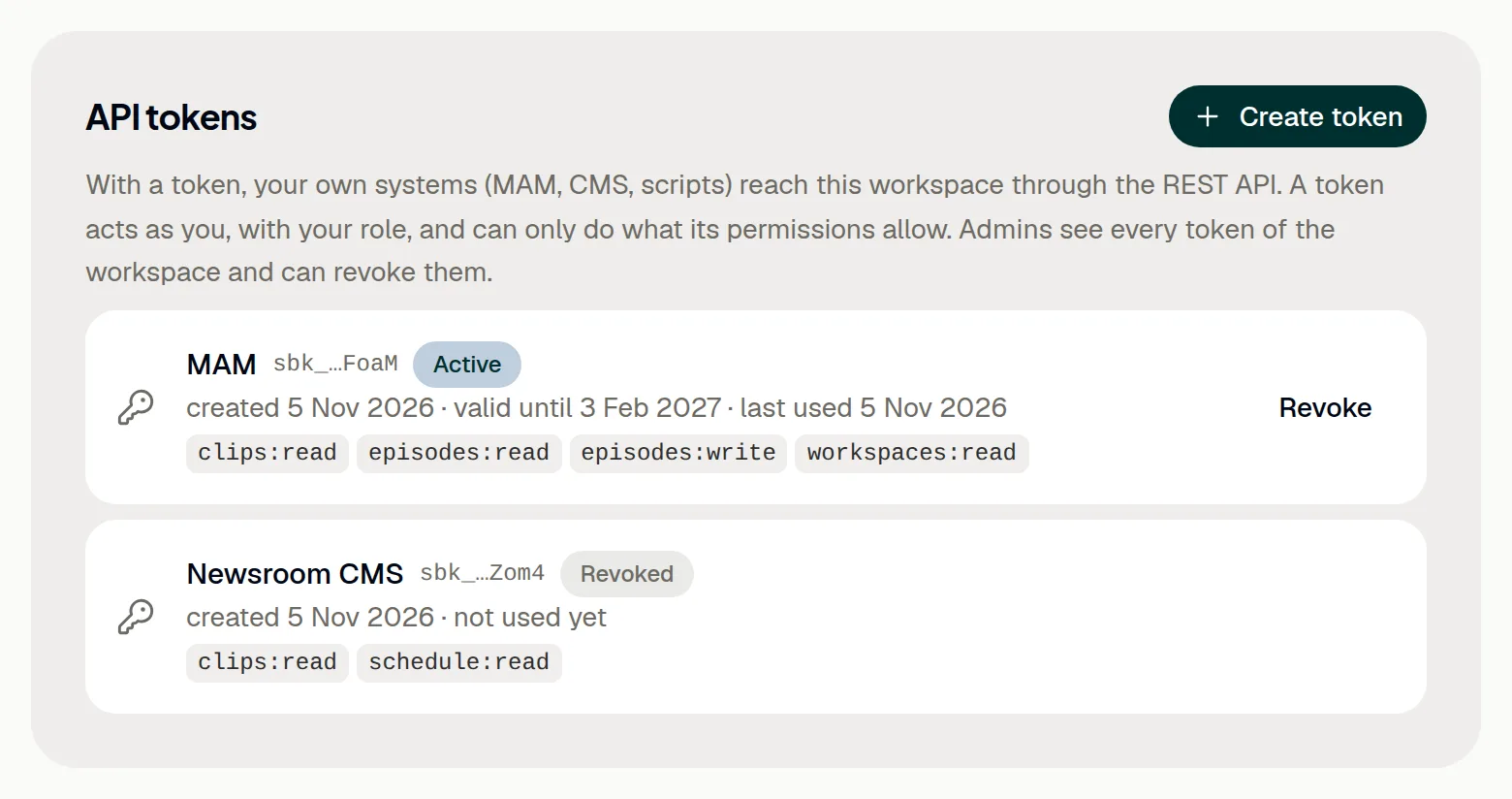
The list under API tokens shows each token with its name, the end of its value, its state (Active, Expired or Revoked), who created it, when it was created, until when it is valid and when it was last used. You see your own tokens; admins see all tokens of the workspace and can revoke them.
- Open Settings → API.
- Click Revoke next to the token.
- Confirm with Revoke. Systems that use the token lose access at once. This cannot be undone.
A token also ends when it expires and when its person leaves the workspace, and it only works while your organisation's plan includes the API. Create a new token in good time before the old one expires.
Your first request
The base address and the OpenAPI description are on the same page as your tokens. The OpenAPI description lists every route in a machine-readable form; the API documentation shows each route with the permission it needs.
- Open Settings → API and copy the address after Base address. In ShowBits Cloud it is
https://app.showbits.ai/api/v1. - Send the token with every request, in the header
Authorization: Bearer sbk_…. - Try it:
curl -H 'Authorization: Bearer sbk_…' https://app.showbits.ai/api/v1/meanswers with your name, the token's workspace with itsslug, the token's permissions and when it expires. - Use the slug in the paths of the workspace. For example,
curl -H 'Authorization: Bearer sbk_…' 'https://app.showbits.ai/api/v1/workspaces/talk-am-abend/clips?status=review'lists the clips waiting for approval in the workspace talk-am-abend; this needs the permission Read clips, texts, videos and subtitles.
In ShowBits OnPremise, the base address is that of your installation. Answers are JSON in camelCase, with times in UTC (ISO 8601) and ids as UUIDs.
Approving through the API
A system can only approve clips or send them back with a token that has the permission Approve clips and send them back (clips:approve). Such a token approves in your name, so give this permission only to tokens that need it. The dialog says so next to it: “This lets a system approve clips in your name.”
Each call is one approval step, like a click in the app: the answer says forwarded when the clip moves on to the next step, or approved when it is released. The system approves with a POST to the clip's route ending in /approve and sends a clip back with /reject, both with an optional comment. A clip that was sent back has to go into approval again first; until then the API answers with 409.
Limits, errors and pages
Per token and minute, ShowBits accepts 600 reading and 60 writing requests. The headers RateLimit-Limit, RateLimit-Remaining and RateLimit-Reset show where you stand; beyond that, the answer is 429 with Retry-After. Errors come as application/problem+json (RFC 9457) with reason, a fixed word your system can branch on: 401 no valid token, 403 a missing permission or role, 404 unknown or in another workspace, 409 not possible in the current state (for example notApproved or embargo), 413 file too large, 422 invalid input, 429 limit or quota.
Lists come in pages of up to 200 entries (50 by default, set with ?limit=). For the next page, pass nextCursor from the answer as ?cursor=.
API actions in the audit log
Every change made with a token appears in the audit log as an action of its person, with “through the API token” and the token's name. Creating and revoking tokens are logged as well.
- Open Settings → Security.
- Scroll down to Audit log.
Questions
Can one token work in several workspaces?
No. A token belongs to one person and one workspace. For another workspace, create a token there.
I did not copy the token in time. Can ShowBits show it again?
No. ShowBits keeps only a fingerprint of it. Revoke the token and create a new one.
What happens to the tokens of someone who leaves the workspace?
They end at once. Systems that used them need a new token, created by another person.
Can a system connect storage, channels or AI keys through the API?
No. Connections, AI keys, the credentials of an MAM, API tokens and billing are set up by a person in the app.
Can I safely send a request again?
Yes. A POST may carry the header Idempotency-Key: per token and key it runs only once for 24 hours, and the same request gets the stored answer again. PUT, PATCH and DELETE can be repeated anyway.
Will the API change under our integration?
/v1 only grows: new fields, routes and events. Ignore unknown fields in answers; the API refuses unknown fields in requests.
We are on Creator or Business. Can we use the API?
The REST API comes with Enterprise and OnPremise; on other plans, Settings → API offers Write to us. On every plan, n8n, Zapier and Make connect without the API: see n8n, Zapier and Make.