
Jev with your own Typesafe.ai access
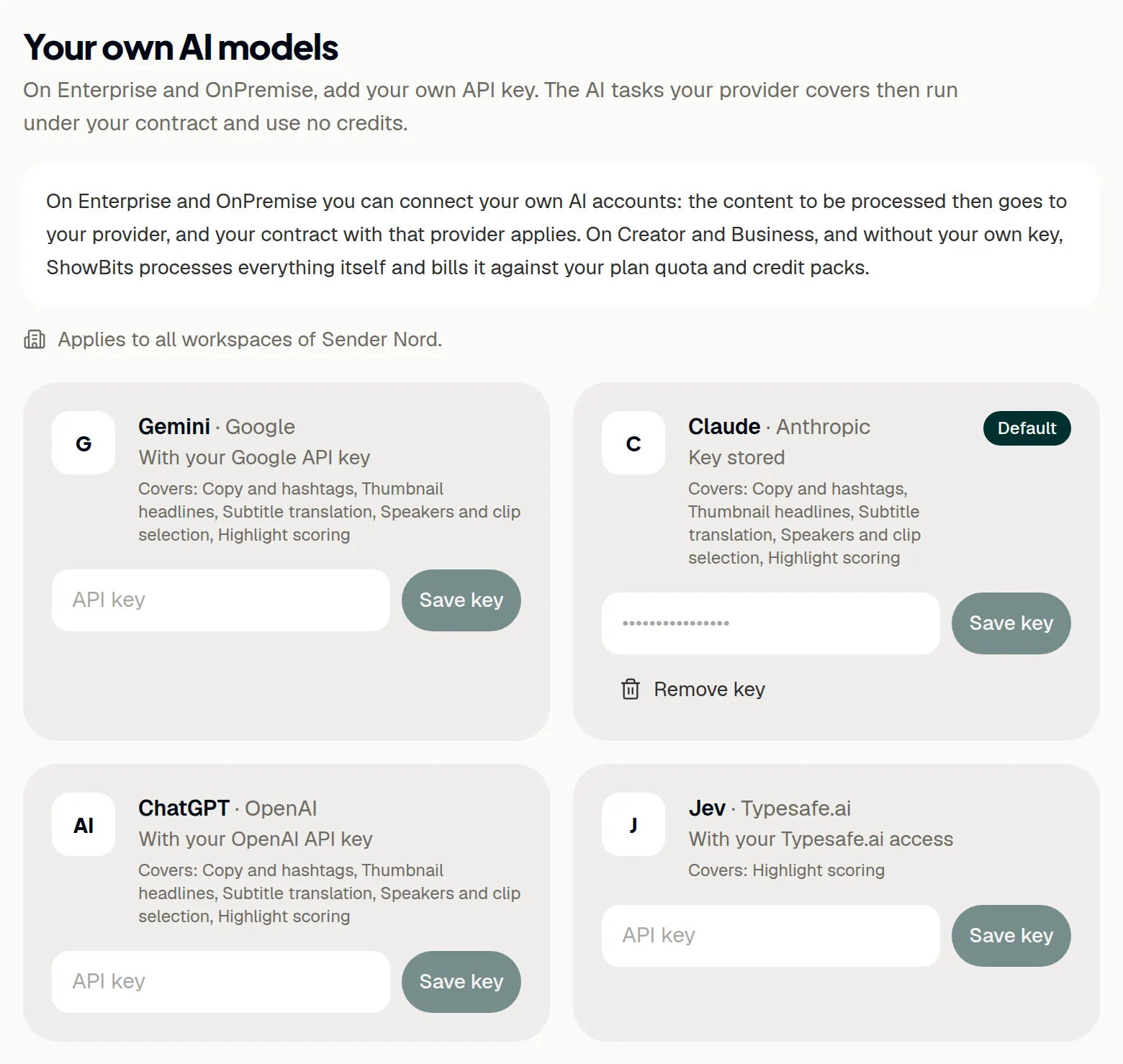
Jev from Typesafe.ai scores the highlight suggestions of your episodes. On Enterprise and OnPremise, ShowBits can use your organisation's own Typesafe.ai access for it: highlight scoring then runs under your contract with Typesafe.ai and uses no ShowBits credits. Owners and organisation admins add the key once, for all workspaces.
- Plans
- Enterprise and OnPremise
- Who sets it up
- Owners and organisation admins
- Applies to
- Every workspace of your organisation, new ones included
- Jev covers
- Highlight scoring
What Jev does in ShowBits
Jev writes no texts. It scores the clip suggestions for an episode, so that ShowBits can sort out those that clearly do not work. With your key, ShowBits sends Typesafe.ai the excerpts of the transcript that Jev needs for this. Your contract with Typesafe.ai applies to that processing, any costs for it arise at Typesafe.ai, and highlight scoring uses no ShowBits credits.
The other tasks, from copy to clip selection, run on your other connected providers or, without one, on ShowBits' own accounts, using credits. Without your own key, and always on Creator and Business, ShowBits runs all AI tasks with its own accounts, within your plan quota and credit packs.
Get your access at Typesafe.ai
To use Jev with ShowBits, your organisation needs its own access to Jev at Typesafe.ai, with an API key. You get the access and the key from Typesafe.ai.
Add the key in ShowBits
Only owners and organisation admins see the key field, and only on Enterprise and OnPremise. Everyone else sees which providers are connected and which model they use.
- Open Integrations.
- Go to Your own AI models.
- On the Jev card, paste the key into the API key field.
- Click Save key.
ShowBits checks the key with one short test question to Jev and saves it only if Typesafe.ai accepts it. The card then shows Key stored. ShowBits keeps the key encrypted and never shows it again.
Model and order
After saving, the Jev card shows the Model list. A new key starts on “jev-latest”; the list also offers “jev-preview”. Only owners and organisation admins change the model.
For highlight scoring, ShowBits asks Jev first whenever Jev is connected, whichever provider is the default.
If Typesafe.ai has no credit or refuses the key
If Typesafe.ai reports that your access has no credit left, or refuses the key, the Jev card says since when, for example “Jev has had no credit left since …”. Until Jev answers again, the provider that handles speakers and clip selection also scores the highlights.
- Check the credit of your access at Typesafe.ai.
- If Typesafe.ai refuses the key, save a new key on the Jev card.
The note on the card disappears as soon as Jev answers again.
Remove the key
- On the Jev card, click Remove key.
- Confirm with Remove key.
After that, no workspace of your organisation uses your Typesafe.ai access. Highlight scoring goes to your other connected providers or, without one, to ShowBits' own accounts, using credits. Removing the key in ShowBits does not revoke it at Typesafe.ai.
Questions
Does Jev write copy or headlines?
No. Jev only scores highlights. Copy, headlines, translations and clip selection run on your other connected providers, such as Claude, or, without one, on ShowBits' own accounts, using credits.
Should Jev be the default?
It makes no difference to highlight scoring: Jev goes first whenever it is connected. For the other tasks, click Use as default on the card of a language model, such as ChatGPT.
We are on Creator or Business. Do we need Typesafe.ai access?
No. ShowBits runs the AI with its own accounts at Anthropic, OpenAI and Typesafe.ai, within your plan quota and credit packs. Own AI accounts come with Enterprise and OnPremise: under Settings → Billing, Your own AI accounts opens a prepared email to ask about them.
The card says “Key stored, not used on your plan”. Why?
The key was added earlier. On Creator and Business, ShowBits does not use it. Owners and organisation admins can delete it with Remove key. After a switch to Enterprise or OnPremise, ShowBits uses it again.
Can we see the stored key again?
No. ShowBits stores it encrypted and never shows it. To change the key, paste the new one on the Jev card and click Save key.
ShowBits says “Jev rejected the key. It was not saved.”
Check that you copied the whole key and that your access at Typesafe.ai is active. If in doubt, get a new key from Typesafe.ai and save it.